


APS Payroll
Last Updated

Overview
APS Payroll software is the ultimate payroll management solution. Offering features like automated payroll processing, tax compliance, and employee self-service, it simplifies payroll operations, reduces errors, and saves valuable time. Elevate your payroll processes with APS - take control of your business's finances today! Get started now.
APS Payroll Specifications
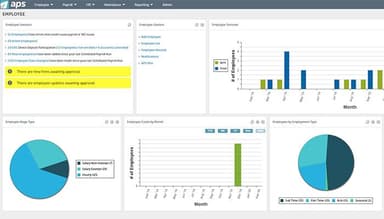
- Employee Information Management
- Recruitment and Applicant Tracking
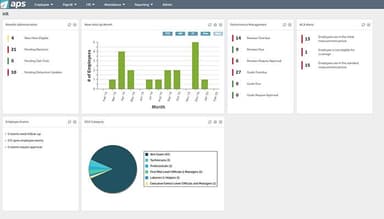
- Performance Management
- Attendance and Time Tracking
APS Payroll Features
Payroll Reporting
The software offers robust payroll reporting capabilities, allowing users to generate detailed reports on employee earnings, taxes and deductions. This feature provides valuable financial analysis, auditing, and decision-making insights, enabling businesses to monitor payroll costs and track trends.
Wage Management
APS Payroll simplifies the complex process of wage management by automating calculations and deductions. It ensures accurate and timely payments to meet legal obligations while minimizing manual errors.
Payroll Outsourcing
Businesses have the option to outsource their payroll processing to experts. This feature offers seamless integration between the software and the outsourcing provider, ensuring the secure and efficient transfer of payroll data.
Time Tracking
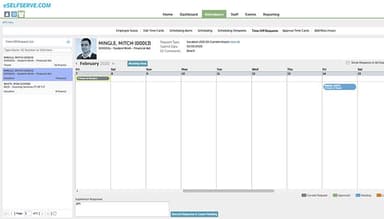
The software has time-tracking functionality, enabling businesses to accurately record and manage employee work hours. This streamlines the tracking of attendance, breaks, overtime, and paid time off. It improves efficiency and eliminates manual timekeeping processes.
Scheduling
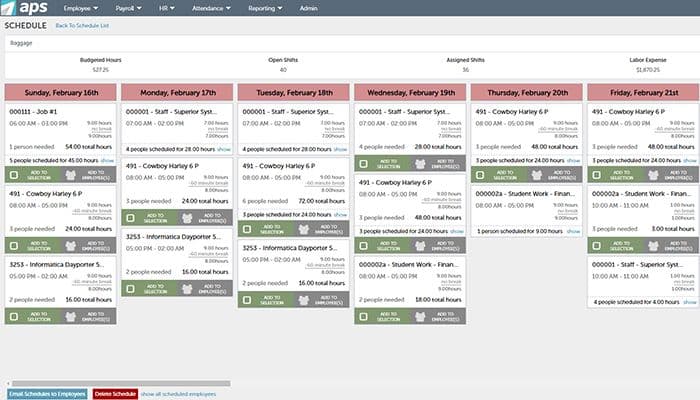
APS Payroll software offers a comprehensive employee schedule feature that simplifies workforce management. It allows businesses to create, manage, and update employee schedules efficiently. This feature allows managers to optimize staffing levels, ensure proper shift coverage, and minimize scheduling conflicts.
Pros And Cons of APS Payroll
Pros
Excellent customer support
Easy to set up
Customizable
Robust suite of tools
APS Payroll app
Cons
There could be more integrations
APS Payroll Reviews
Total 39 reviews
4.5
All reviews are from verified customers
Rating Distribution
5
Stars62%
4
Stars26%
3
Stars13%
2
Stars0%
1
Stars0%
Share your experience
Non-Profit Organization Management, 51-100 employees
“Drastically improved our expenditure.”
Pros
I love how easy it is to track time with APS, and I can automate the time entry process, which is not something other time tracking software can easily do. It also helps us in our work since we do a lot of site visits and there’s not a single day that all of us are available at the same office to check in and out. APS offers a variety of ways in which users can clock in and clock out based on where they are. It is relatively affordable if you compare it with others in the market, and we were able to deliver "time clocks" to each location, which was more than enough use for us.
Cons
Everything works great in the APS software, but the only thing that is problematic is the iPad app. It is very common for us to carry tablets along wherever we go, and that’s the reason this issue is highlighted; otherwise, we might have never even experienced it. There are two spots in our area where the app weirdly disconnects from the network, and we do have a workaround for that. It is still an inconvenience for a typical user.
Rating Distribution
Ease of use
9
Value for money
8
Customer Support
7
Functionality
7
Information Services, 51-100 employees
Less than 6 months
“prioritized triage and alerts”
Pros
One of the best parts of the product is the dashboard HUD which gives us a clear, prioritized picture of how issues should be triaged. The email and Slack notifications are also incredibly useful since they trigger immediate conversations and quick action whenever something is detected.
Cons
A few parts of the UI aren't the most polished visually but I'd still take strong functionality over appearance any day. From what I know, their product team is already working on a UI/UX refresh in the coming months so it doesn't feel like a major concern. I'm looking forward to seeing the updated interface.
Rating Distribution
Ease of use
10
Value for money
8
Customer Support
8
Functionality
9
Gringos Mexican Kitchen Corporate Office, 50-99 employees
“ We are happy with APS.”
Pros
No one can compare with APSs phenomenal customer care. The software is fast with incredible functions. It is a time-saving system. On top of that APS is extremely easy to operate.
Cons
Communication is poor.
Rating Distribution
Ease of use
8
Value for money
10
Customer Support
8
Functionality
8
Frequently Asked Questions
Does APS Payroll offer an API?
No, APS Payroll does not offer API.
What language does APS Payroll support?
APS Payroll supports English.
What other apps does APS Payroll integrate with?
APS Payroll integrates with Sage Intacct, MetLife, Xero and Quickbooks.
Does APS Payroll support mobile devices?
Yes, APS Payroll supports Android and iOS devices.
What types of pricing plans does APS Payroll offer?
Users can get custom pricing for their businesses.
Who are the typical users of APS Payroll?
The typical users of APS Payroll are education, non-profit, hospitality, and oil and gas industries.
What level of support does APS Payroll offer?
APS Payroll offers email, FAQs, chat, Knowledge Base and phone support.